

Integrations > Commerce
Shopify
Sync your Shopify product catalog into SuperFunnel and build product pages from it.
Overview
Connect a Shopify store to sync its product catalog into your SuperFunnel Content Library, so you can build product pages from real Shopify data.
Shopify keeps your prices, images, and inventory updated in SuperFunnel, so a page or quiz always knows when something is low on stock, sold out, or has a new price. This only goes one way: Shopify updates SuperFunnel, not the other way around, since Shopify stays your point of sale. You cannot edit synced product data from within SuperFunnel.
Work in progress
This guide covers connecting a store. We'll expand it with how to build landing pages and quizzes from synced products in the future. Please reach out if you need further assistance or need a feature built out.
The integration itself is still being completed, so the steps below are subject to change.
Connecting Your Store
Contact support
Email support@superfunnel.ai before you start, since the integration is still being completed. We'll confirm you're ready to connect a store.
Open Apps in Integrations settings
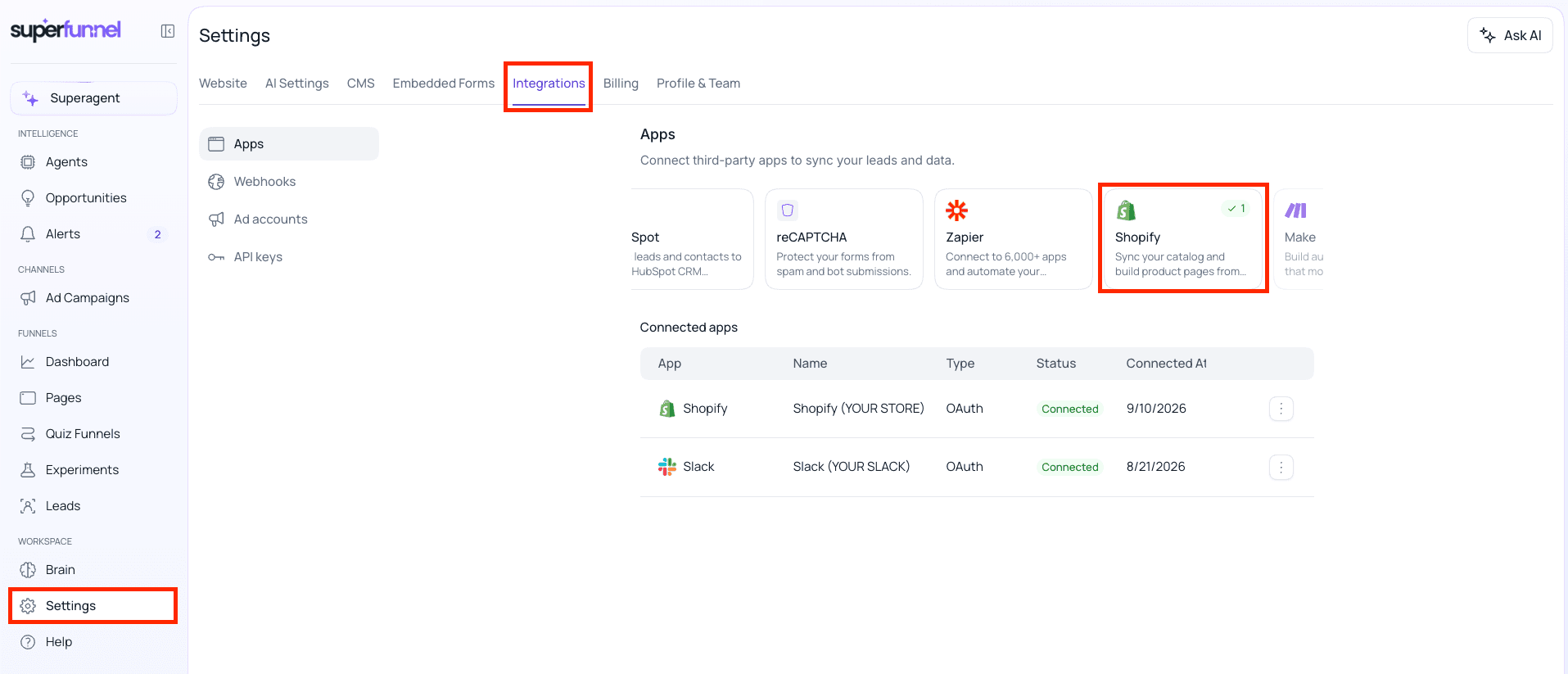
In SuperFunnel, go to Settings > Integrations > Apps, then click the Shopify card. A popup will appear.
Enter your store domain
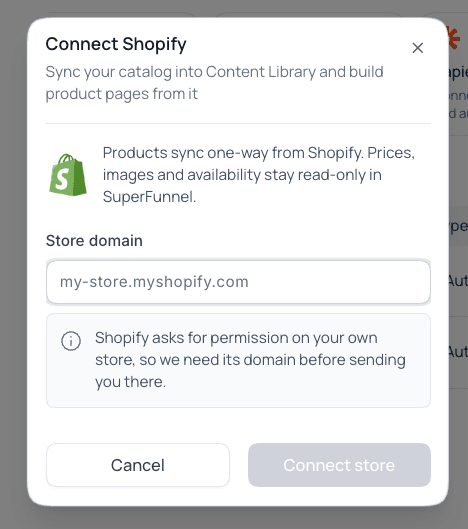
Enter your store's myshopify.com domain, for example my-store.myshopify.com. This informs SuperFunnel which Shopify account should be connected.
Finding your myshopify.com domain
The domain is the part of the Shopify address right after admin.shopify.com/store/, for example my-store in admin.shopify.com/store/my-store.
It's also listed under Settings > Domains in your Shopify admin. See Shopify's domains documentation for more detail.
Click Connect store
You may be asked for additional authentication. Once you're authenticated, you're all set!
Summary
Connect a Shopify store from Settings > Integrations > Apps with just its myshopify.com domain. Products then sync one-way into your Content Library, read-only in SuperFunnel. The authorization step and building pages from synced products aren't documented yet.