

Ad & Integrations > Design
Figma
Use the SuperFunnel Importer <> Figma Extension to copy designs into SuperFunnel.
Overview
The Figma integration helps you copy Figma designs and paste them directly into SuperFunnel, speeding up page and quiz creation. It is available as a free extension inside Figma.
The Figma extension allows you to:
- Copy finished Figma layouts, sections, or components without exporting.
- Paste design content into SuperFunnel to accelerate page building.
- Keep your design-to-page workflow streamlined and visual.
Below are guides on installation and use of the Figma extension.
For best results
- Include screenshots alongside your Figma elements — they give SuperFunnel extra visual context.
- Build one section at a time rather than importing a whole page at once.
Step-by-Step Guide to Install Figma Extension
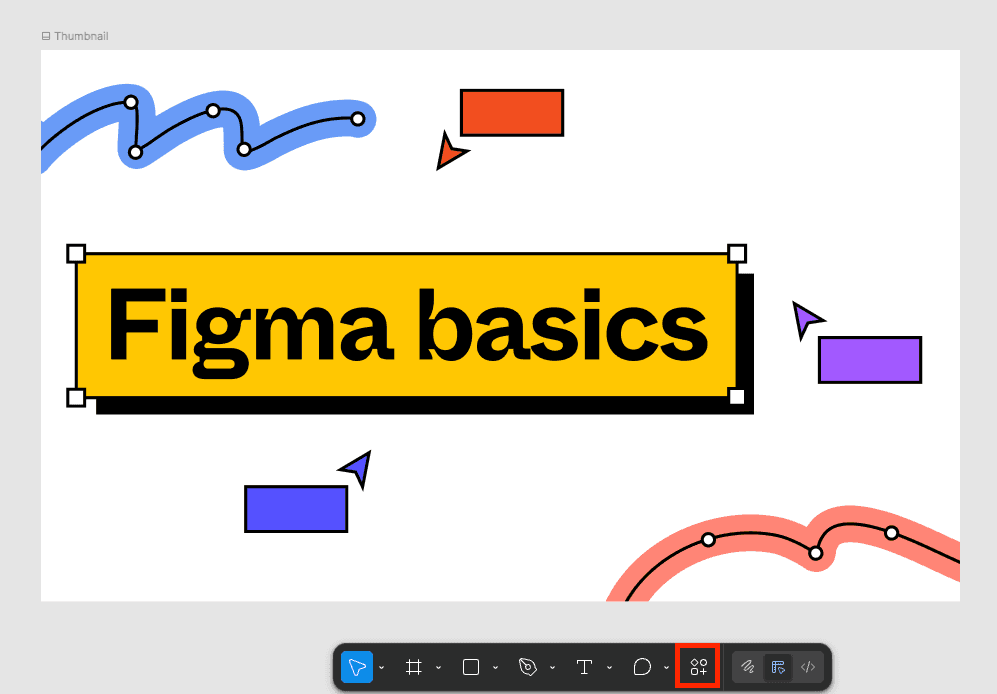
Open the Figma design page
Within a Figma design page, click the actions button on the toolbar
below.
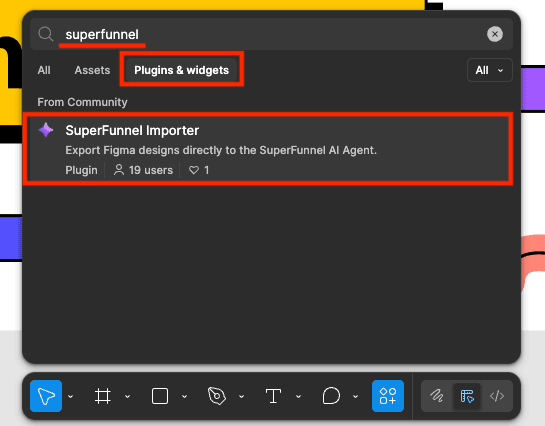
Search for the SuperFunnel plugin
Click the Plugins & widgets tab within the actions menu. Search for
"SuperFunnel" and click the plugin to open a descriptive page.
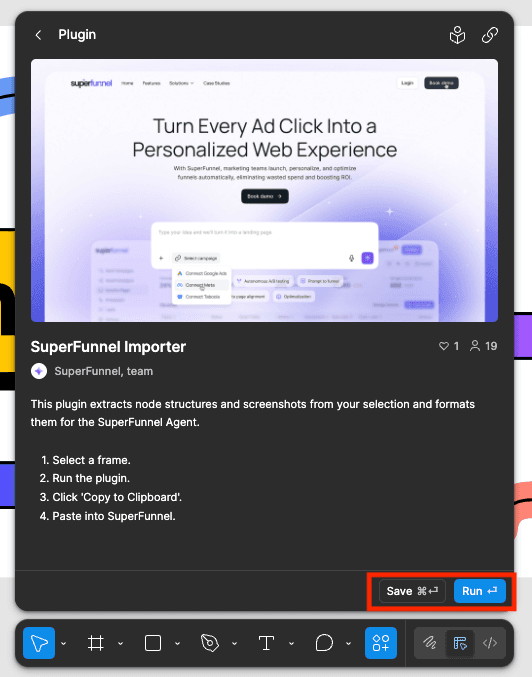
Install the plugin
Click Save or Run to install the plugin.
- 3.a. Run: Executes the extension's action immediately.
- 3.b. Save (Preferred): Stores the extension for future use.
Step-by-Step Guide to Use Figma Extension
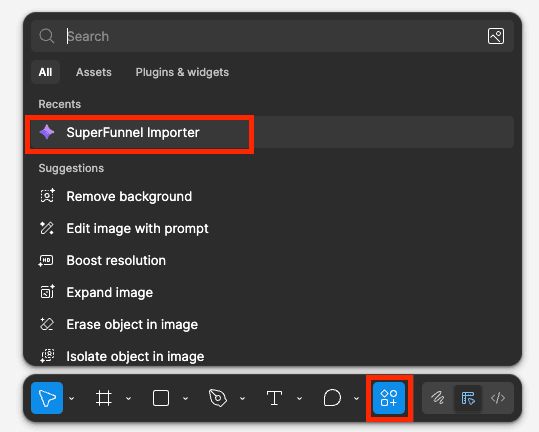
Open extension
At the bottom of the page, click the actions button and select the
SuperFunnel Importer plugin to open the extension.
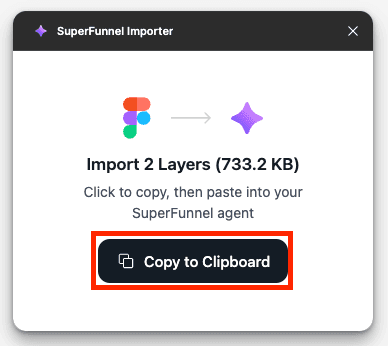
Copy design content
Select the design content you want to copy. Click the Copy to Clipboard button in the extension card.
You may need to group or ungroup layers before copying.
Paste into SuperFunnel
In SuperFunnel's page or quiz editor, paste the copied content to create a
new page or quiz section. [You may paste with cmd/ctrl + v or right-click
and select "Paste".]

Summary
The Figma extension streamlines copying from Figma to SuperFunnel. Many design elements should be saved, renamed and uploaded as assets in SuperFunnel for better performance and editing flexibility. Consider whether you are reusing assets before choosing how to add them to SuperFunnel.