

Ad & Integrations > Advertising
Meta Ads
Connect your Meta (Facebook & Instagram) ad account to SuperFunnel to track campaign performance and feed conversions back to your ad sets.
Overview
Connecting your Meta ad account lets SuperFunnel track how your pages and quizzes perform served through Facebook and Instagram campaigns. Once connected, you can see Meta metrics alongside your funnel data and feed conversions back to your ad sets so Meta can optimize against real outcomes.
Meta is matched to visits using the Meta click ID (fbclid), the same way Google Ads uses gclid.
Prerequisites
The person connecting must have Admin access to the Meta ad account they want to link, and to any Page or Pixel they plan to use.
Step-by-step guide to connecting Meta Ads
Open Ad Accounts settings
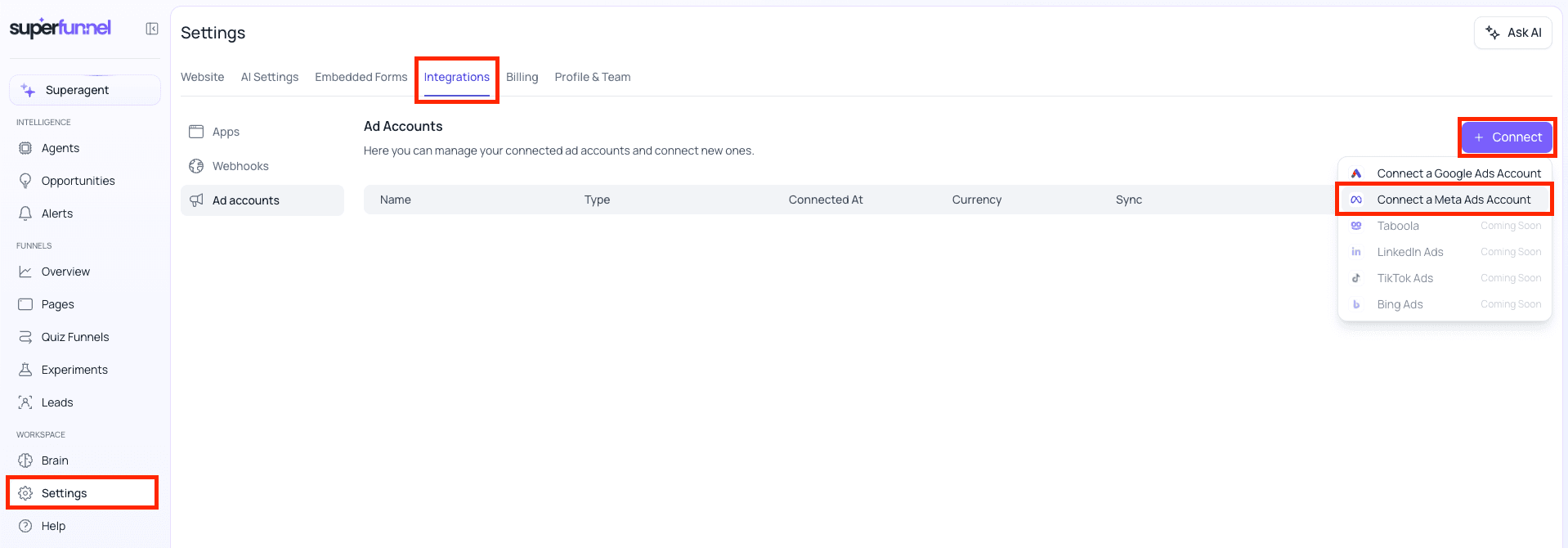
Go to Settings → Integrations → Ad accounts.
Connect a Meta Ads account
Click + Connect, then choose Connect a Meta Ads Account from the menu to start linking your account.
Authorize SuperFunnel on Meta
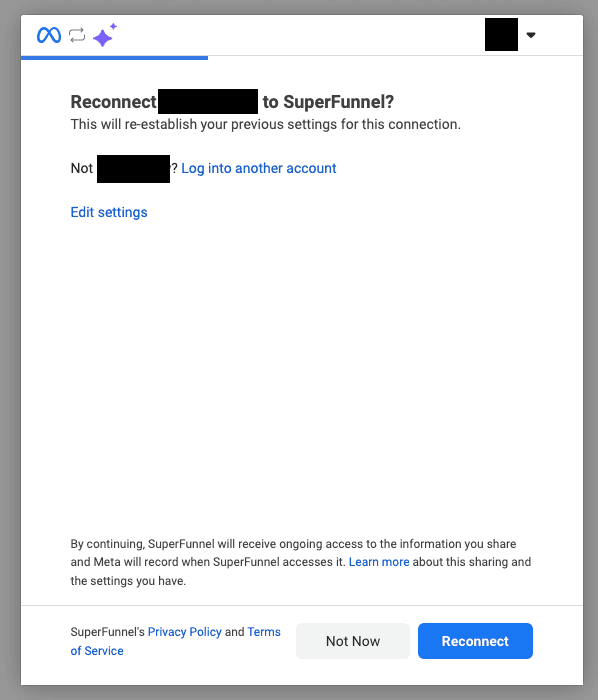
A Meta window opens asking you to authorize the connection. Choose the Facebook account connected to your ad account, review the access, and continue.
You only authorize once
You are asked to authorize SuperFunnel on Facebook a single time. If you connect another SuperFunnel workspace to the same Facebook account later, Meta shows a Reconnect screen instead, re-establishing your previous settings rather than asking for full authorization again.
Select your ad account
Back in SuperFunnel, choose the Meta ad account (or accounts) you want to connect.
Confirm the connection
Click Connect. The account appears in your list with a synced status indicator confirming it is linked.
Reporting conversions back to Meta
Connecting the account brings campaign data in, matched to visits by the fbclid on each click. To optimize against outcomes that happen after the visit, like purchases or booked demos, you also send conversions back out to Meta.
Close the loop
SuperFunnel reports backend conversions to Meta by matching the fbclid
captured on the original visit. See
Offline Conversion Tracking for
the full setup. This is SuperFunnel's server-side path and gives you accurate
conversions even when browser tracking is blocked.
What's next
Meta Pixel
Install the Meta Pixel on your pages to track events and build audiences.
Offline Conversion Tracking
Report backend conversions to Meta so ad sets optimize on real outcomes.
Google Tag Manager
Map SuperFunnel events to standard Meta events like Lead.
Google Ads
Connect the other side of your funnel once you have optimized on Meta.