

Get Started > Onboarding
Onboarding Roadmap
A five-stage roadmap for launching, validating, and improving high-converting pages and quizzes.
Overview
Here is an approximate guide to your onboarding journey — from initial setup through to optimization.
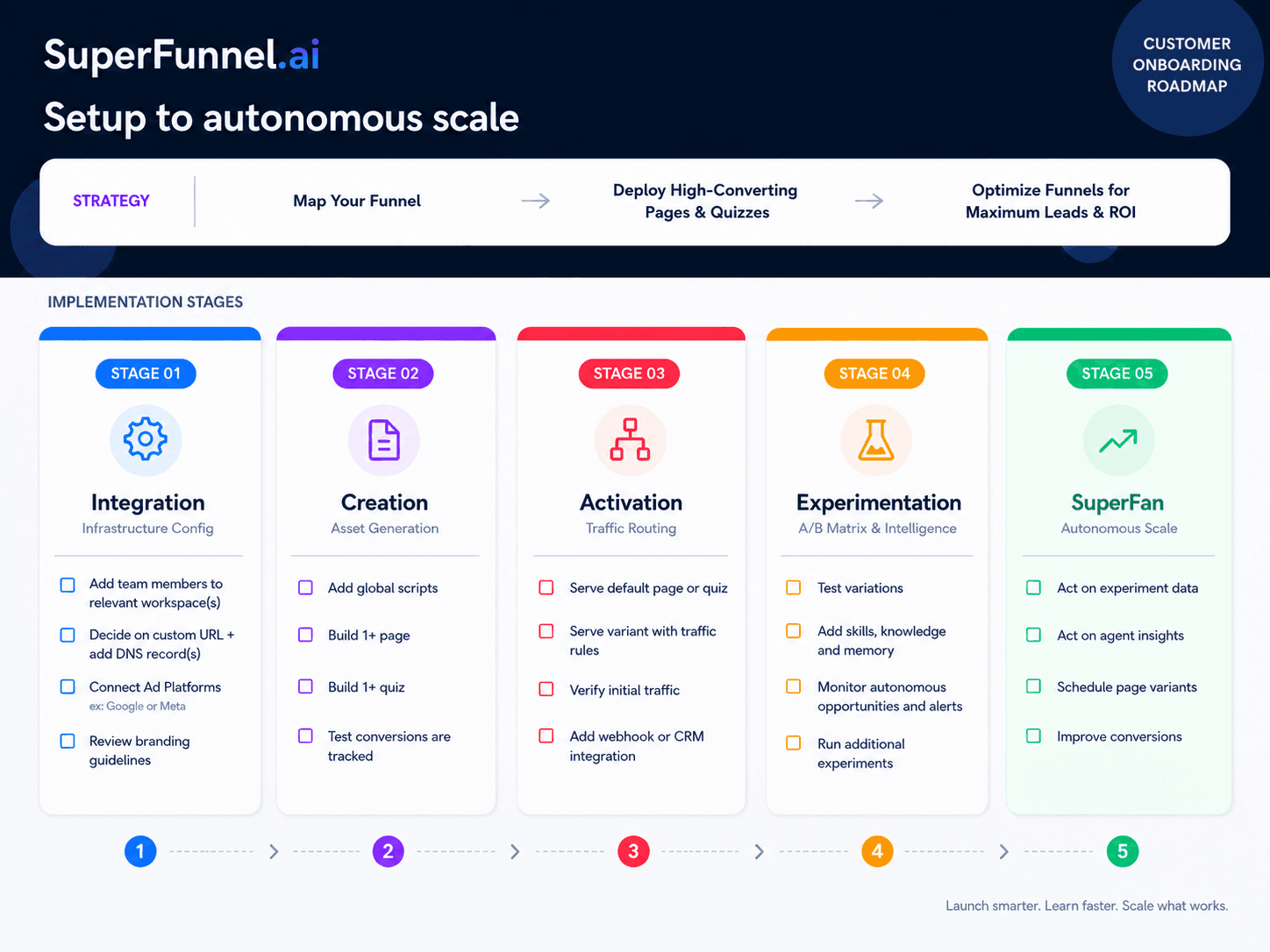
The Five Stages
| Stage | Name | Focus |
|---|---|---|
| 1 | Integration | Workspace setup, team, domain, ad platforms, scripts, and branding |
| 2 | Creation | Build your first pages and quizzes |
| 3 | Activation | Go live and verify traffic and data flow |
| 4 | Experimentation | A/B test variations, set traffic rules for variants, monitor alerts and opportunities |
| 5 | SuperFan | Act on data and agent insights, schedule variants, improve conversions |
Onboarding Best Practices
To improve onboarding, share your organization's context, goals and testing requirements.
Introduce your team
Let us know who we'll be working with and what each person is responsible for. For example: who handles technical or IT matters, who needs to approve content, and who owns budget or traffic routing decisions. Knowing this upfront means we can loop in the right people at the right time.
Identify your goals
Be clear on what success looks like for your funnel — lead volume, lead quality, conversion rate, or a specific integration outcome. This shapes every build and testing decision.
Share a brief history
Give us a short overview of what you've tried before: what's worked, what hasn't, and any context about your audience or market. This helps us avoid repeating experiments and prioritize what matters.
Provide your media and links
Share all relevant assets before build sessions: logos, brand images, copy, competitor pages, existing landing pages, and any quiz or form content. The more complete this is, the faster pages and quizzes come together.
Set target dates for each stage
Review the five stages above and share your expected timeline for each one. Having target dates helps us prioritize the right work in each session and keeps onboarding on track.
Critical: Testing requirements
If anything in your setup requires special handling during testing, tell us before we begin. This is especially important when APIs or integrations are involved.
Common things to clarify:
- Should we notify you every time we run a test that sends a lead or triggers a workflow?
- Is there a specific name, email address, or phone number we should use so test submissions are easy to identify on your end?
- Are there specific test scenarios or use cases we should run through?
- Do we need to test from a particular location — for example via VPN or using a phone number from a specific region?
Tell us how to safely test your APIs and scripts
To test the APIs and scripts in your funnel without polluting your real data, we need to know exactly how to implement and exercise them. That includes any identifiers that mark a submission as a test. For example, "only test with emails ending in @test.org" or "use a US phone number."
Critical: API map
If you are using APIs, give us a clear picture of each one:
- What is each API used for?
- Are the APIs independent, or does one need to complete before another runs?
Understanding whether your APIs operate in parallel or sequentially is essential — it affects how we structure tests and what we look for when something doesn't behave as expected.
Time your APIs
Running APIs in parallel and at the right moment — and using loading screens or videos to fill the wait when needed — can make a page feel faster and perform better.
Summary
You're reading the docs, which means you're already onto a great start. Work through the onboarding pages relevant to your current stage, or meet with a Customer Success agent for hands-on assistance. We are happy to help you build your first pages and quizzes until you're comfortable with the platform.