

Get Started > Troubleshooting
Find Entity Names
How to locate the names of pages, sections, forms, quizzes, and fields within the page editor.
Overview
Knowing the exact names of your entities matters when configuring integrations or describing a change to the AI Agents. Here's where to find them in the page editor.
This guide covers finding names of:
· Page Name
· Section Names
· Form and Quiz Names
· Field Names
Can't find a name?
If you can't remember an entity name, ask the Agent, or check the top-left corner of the editor.
Page Name
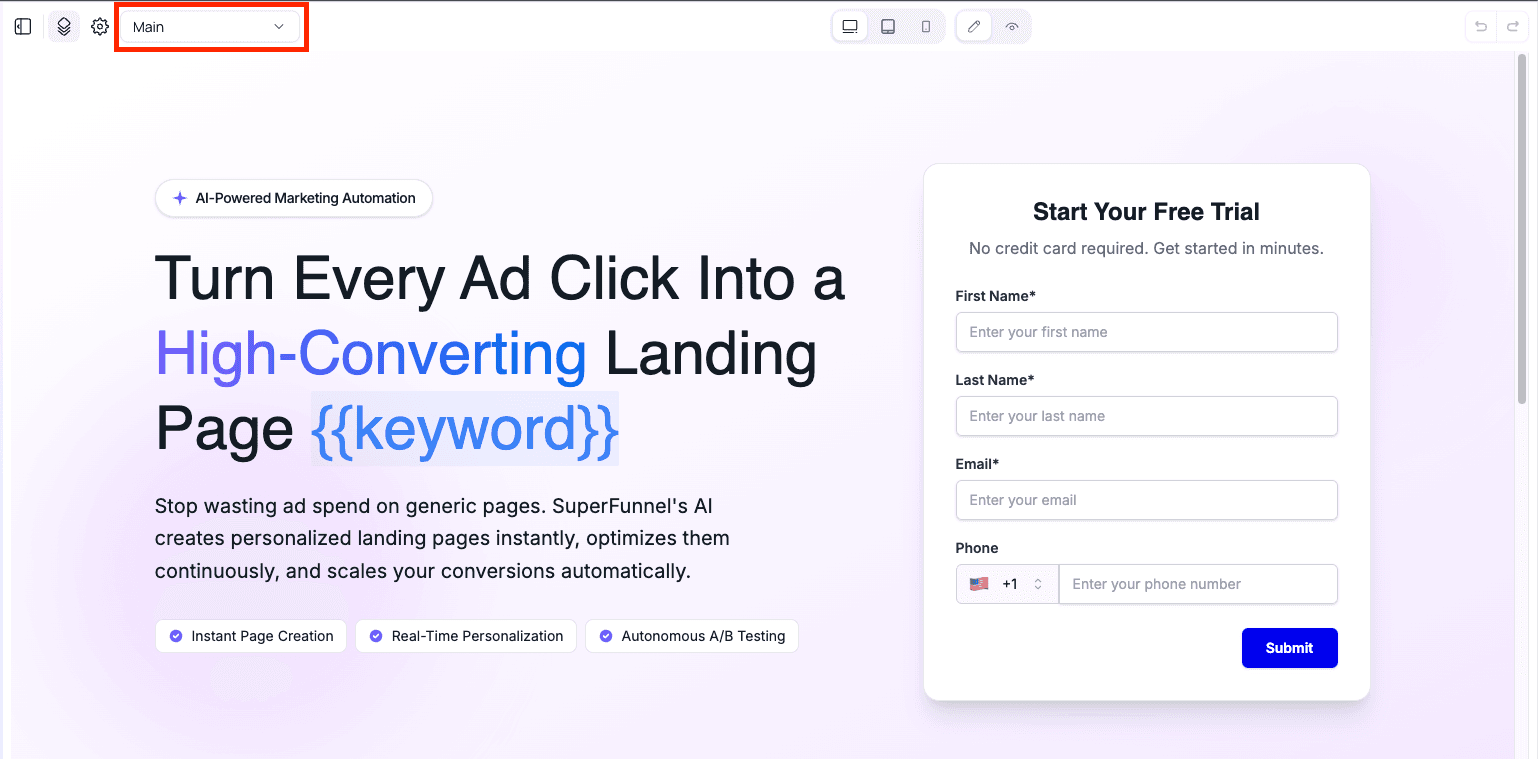
When viewing a page in editor mode, the page name appears in the top-left corner.
Section Names
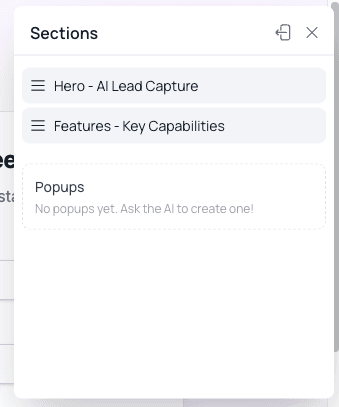
A button in the top-left corner opens a list of all sections on the page.

Embedded Form Names
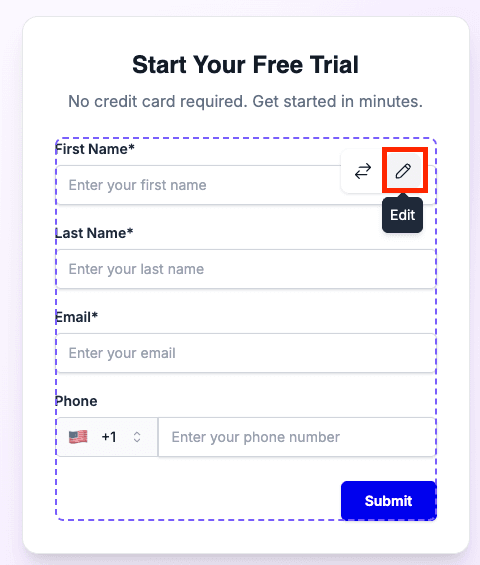
If a page has input fields, it contains an embedded form. Hover over any field to reveal a pencil icon, then click it.
- Embedded forms open a separate editor. The name appears in the top-left corner.

Simple forms were deprecated in 2026.
Simple forms open an inline editor. The form name appears in an input at
the top. 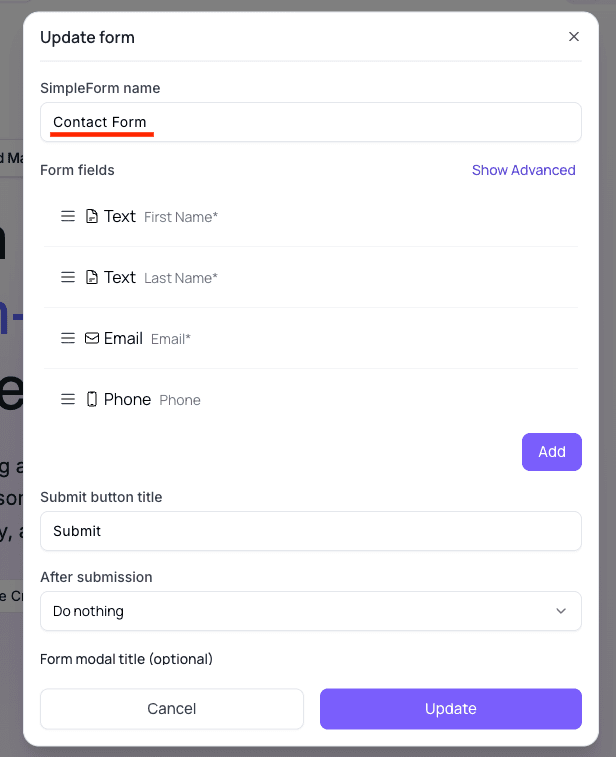
Field Names
In forms or quizzes, ask the Agent to list all fields on a page. It can return their names, types, and IDs.
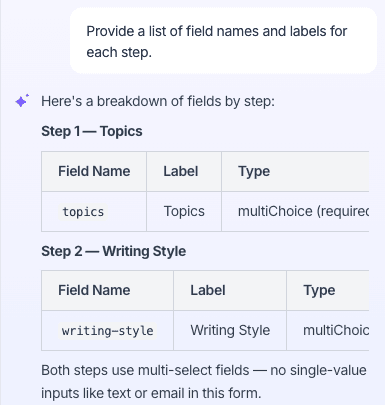
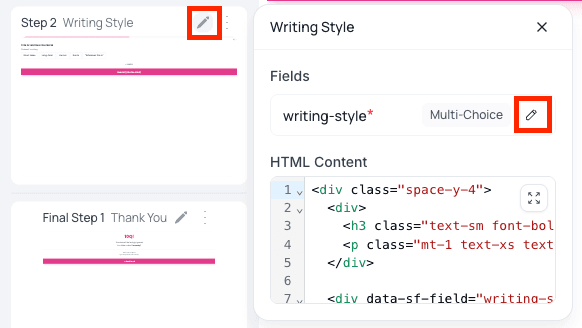
You can also find field names directly inside each editor:
- Embedded form or quiz — click the pencil icon next to a step to expand the list of fields and their types. Click the adjacent pencil icon to edit a field or view its ID.
What's Next
With your entity names in hand, you're ready to start building or connecting your tools.