

Get Started > Onboarding
Domains
Connect and manage custom domains for your SuperFunnel pages.
Overview
Connecting your own domain lets you publish pages on a branded URL and strengthen trust with visitors. This page guides you through domain setup, DNS configuration and verification.
When to add your own domain
By default, SuperFunnel assigns a dedicated subdomain like
yourcompany.superfunnel.page to keep pages separate from your main website.
However, adding your own domain provides a more professional appearance and
better brand recognition.
What this guide covers
Step-by-Step Guide to Connecting a Domain
Access Domain Settings
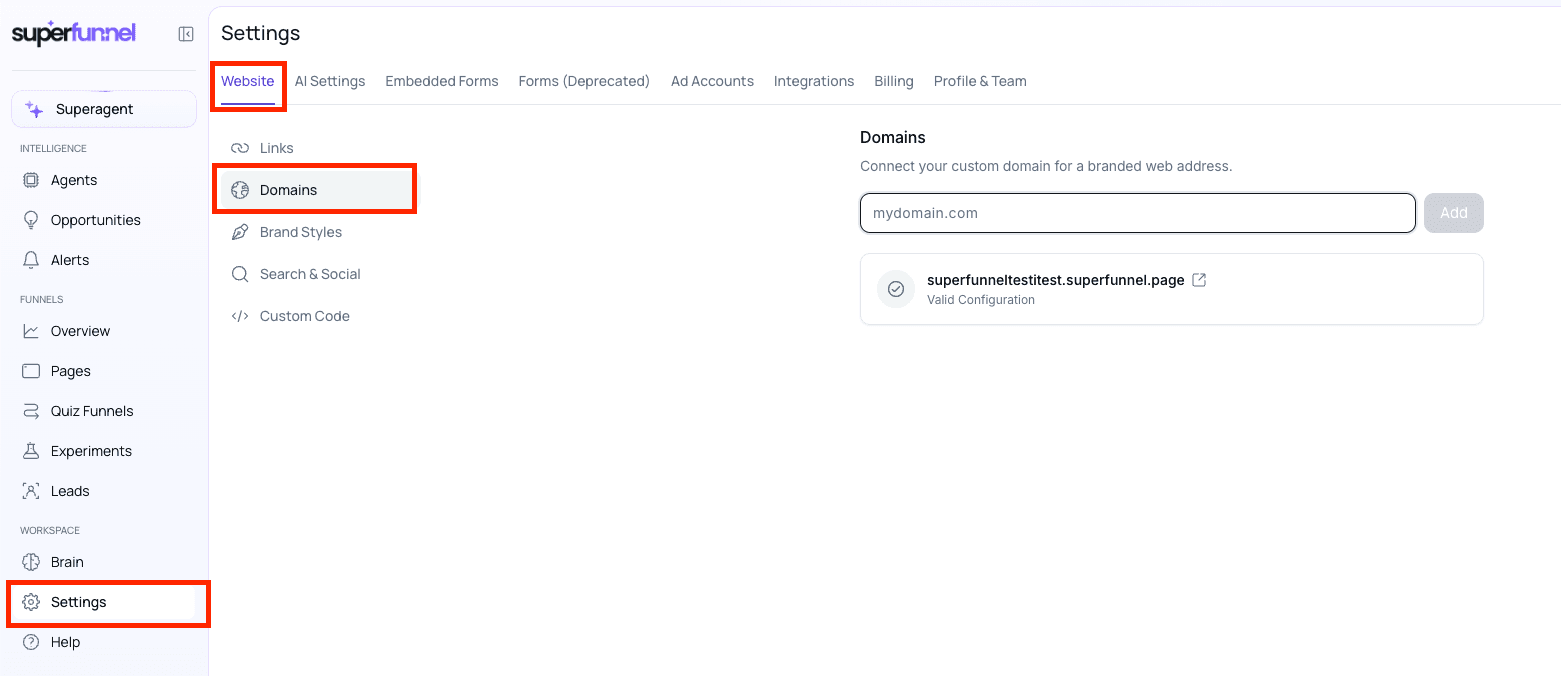
Click Settings > Website > Domains to Access Domain Settings
Enter Your Domain
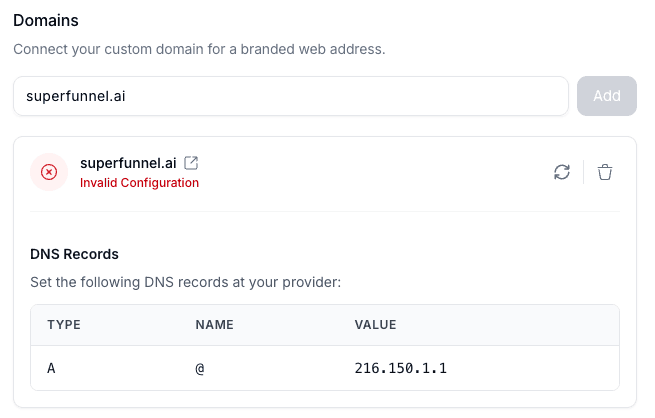
Enter your domain in the input field. Click Add. SuperFunnel will generate a DNS record.
Image shows before click
 Image shows after click
Configure DNS Records
Update your domain's DNS settings with the provided records. Wait for DNS propagation (usually 24-48 hours). SuperFunnel will automatically check for the correct DNS configuration.
Managing DNS Records
In each card displaying DNS records there are buttons to generate a new DNS record or delete the existing one.
Verify Your Domain
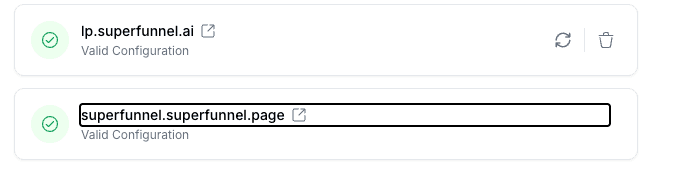
Once DNS is configured, a green checkmark will appear next to your domain.
Summary
After verification, you can publish pages to your custom domain and maintain a consistent branded experience for visitors.